This stuff is a complete pain in the @$$. Over the last few days I thoroughly remodeled the scenes where you meet Edge, find Edge's parents, and then the Rubicant fight and aftermath. This required a lot of switching and moving around of sprites, and it is a nightmare.
Here is an example that might help you to make sense of how it works.
I replaced the Queen of Eblan with Cid during the "Rubicant confrontation" scene, since Cid is in the party for this scene and the queen is already dead anyway. Now, the data for placement of the instance of the queen sprite on that particular map is from 098F18-098F1B. Here are the values for those locations: 84 0F 11 CE. I needed to move the sprite down so that it would appear with the other party members when I toggled party member map sprite visibilty during scene editing. So, I changed the values to 84 0E 14 CC. That second bit (0F) is the X value on the map and the next bit (11) is the Y value. So, I moved the sprite left one step and down three steps.
Palette and direction are tricky. Both are controlled by the 4th bit. Now, when you change NPC sprites into PC sprites, as I did here, you don't have to worry about palette, because PC sprite palettes override NPC sprite palettes. Going the other way is tricky. Anyway, changing that fourth value from CE to CC made the sprite switch from facing south when it appears to facing north when it appears. Since my comprehension of this is not the greatest, I literally experiment with all of the values until I find the palette and direction combination that I'm looking for.
The last thing is changing which sprite appears, but that is easy to do. There is a big table that controls which sprites appear where; it's included in the zip file that was linked to above. Once you know which sprite is controlled by which bit (which the zip file can tell you), it's easy to swap sprites around. In my example, I had to change location 097284 from 50 (queen sprite) to 0A (Cid sprite).
EDITED TO ADD:
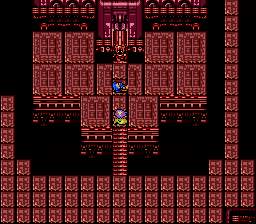
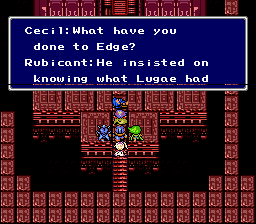
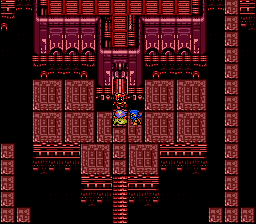
If you'll indulge me, here are some screencaps of my handiwork.
 Show Posts