Blog

  • Guide to Minimal Route in DQIV (PSX)

    Dragon Quest IV: Chapters of the Chosen (English Fan Translation by RadMageIRL)

    For clymax’s projects, click here. You can also follow him on YouTube or Twitter.
    Note: this guide is still a work in progress.

    Screenshots are not yet available, but in the meantime, for screenshots from the NES version, see the Woodus guide here.

    Chapter 1 — Ragnar McRyan

    1. Burland

    • Talk to Aigneas.

    2. Strathbaile

    • Travel through Strathbaile Burrow.
    • Talk to Angus in the jail.

    3. Burland

    • Talk to Aigneas.

    4. Strathbaile

    • Bring Aigneas to Angus.

    5. Auld Well

    • Get the Talaria.

    6. Loch Tur

    • Use the Talaria to reach the tower.
    • Rescue the children.

    7. Burland

    • Talk to the King.

    Chapter 2 — Alena

    8. Zamoksva Castle

    • Talk to Kiryl.
    • Escape through the broken wall in Alena’s room.
    • Kiryl and Borya join.

    9. Taborov

    • Talk to Anastasia.
    • Talk to her father.
    • Talk to the priest and resolve the village event.

    10. Vrenor

    • Witness the kidnapping at the Inn.
    • Talk to the boy with the dog.

    11. Vault of Vrenor

    • Get the Armlet of Transmutation.

    12. Vrenor

    • Return at night.
    • Give the Armlet of Transmutation to the kidnappers.
    • Get the Thief’s Key.

    13. Desert Bazaar

    • Talk to the Zamoksva soldier.

    14. Zamoksva Castle

    • Talk to the Tsar’s adviser.
    • Talk to Starek.

    15. Zalenagrad

    • Talk to Josef Starling.

    16. Desert Bazaar

    • Talk to the Item Shop owner about Birdsong Nectar.

    17. Birdsong Tower

    • Get the Birdsong Nectar.

    18. Zamoksva Castle

    • Use the Birdsong Nectar on the Tsar.

    19. Endor

    • Talk to the King.
    • Enter and win the Endor Tourney.

    20. Zamoksva Castle

    • Return to the castle, then leave.

    Chapter 3 — Torneko

    21. Ballymoral

    • Give Finnegan a Chimaera Wing.
    • Talk to Prince Regan.
    • Meet him behind the Weapon Shop at night.
    • Get the Prince’s Letter.

    22. Lakanaba

    • Talk to Finnegan.
    • Take Fido with you.

    23. Reginhart

    • Bring Fido to the village.
    • Follow Fido to the fox.
    • Free Archie O’Tect.

    24. Ballymoral

    • Talk to the King.

    25. Endor

    • Use the Prince’s Letter on Princess Veronica.
    • Get the Royal Scroll.

    26. Ballymoral

    • Use the Royal Scroll on the King.

    27. Endor

    • Talk to the King.
    • Buy the vacant shop for 35,000 gold.

    28. Trans-Montane Tunnel

    • Pay 60,000 gold to fund the tunnel.

    29. Endor

    • Pass several days.
    • Talk to Nene until she tells you the tunnel has opened.
    • Agree to continue the journey.

    30. Trans-Montane Tunnel

    • Pass through the completed tunnel.

    Chapter 4 — Meena and Maya

    31. Cave West of Aubout du Monde

    • Find Oojam.
    • Oojam joins.

    32. Mamon Mine

    • Get the Powder Keg.

    33. Palais de Léon

    • Use the Powder Keg beside the Chancellor’s room.
    • Follow the Chancellor through the secret passage.
    • Confront Balzack.
    • After the forced defeat, talk to the imprisoned former ruler.
    • Escape with the Boarding Pass.

    34. Havre Léon

    • Use the Boarding Pass.
    • Talk to the captain and depart for Endor.

    Chapter 5 — The Chosen

    35. Endor

    • Talk to Meena.
    • Find Maya in the Casino.

    36. Desert Inn

    • Talk to Hank Hoffman Jr.

    37. Cave of Betrayal

    • Get the Symbol of Faith.

    38. Desert Inn

    • Give the Symbol of Faith to Hoffman.
    • Hoffman and the wagon join.

    39. Pharos Beacon

    • Talk to Torneko.
    • Get the Holy Embers.
    • Restore the beacon.

    40. Porthtrunnel

    • Talk to Torneko.
    • Torneko joins.
    • Get access to the ship.

    41. Mintos

    • Talk to Borya.
    • Borya joins.

    42. Parthenia

    • Talk to the King.

    43. Cave South of Parthenia

    • Get the Padequia Seed.

    44. Parthenia

    • Give the Padequia Seed to the King.
    • Get the Padequia Root.

    45. Mintos

    • Use the Padequia Root on Kiryl.
    • Alena and Kiryl join.

    46. Cave West of Aubout du Monde

    • Examine the previously opened chest.
    • Reveal the hidden stairs.
    • Get the Magic Key.

    47. Palais de Léon

    • Find Ragnar.
    • Defeat the Marquis de Léon.
    • Ragnar joins.

    48. Zamoksva Castle

    • Defeat the monster occupying the throne room.
    • Enter the treasury.
    • Get the Magma Staff.

    49. Canalot

    • Talk to the merchant below the throne room about Tom Foolery.

    50. Laissez Fayre

    • Talk to Tom Foolery.
    • Tom Foolery joins.

    51. Canalot

    • Put Tom Foolery at the front of the party.
    • Talk to the King.
    • Get the Zenithian Helm.

    52. Briny Lair

    • Get the Zenithian Armour.

    53. Femiscyra

    • Use the Magma Staff to open the mountain passage.
    • Enter the castle.
    • Trigger the theft accusation.

    54. Cave South of Femiscyra

    • Find the thief.

    55. Femiscyra

    • Talk to the Queen.
    • Get the Ultimate Key.
    • Free the imprisoned party member.
    • Get the Zenithian Shield from the basement.

    56. Royal Crypt

    • Get the Mod Rod.

    57. Colossus

    • Climb through the Colossus.
    • Activate it and cross the river.

    58. Dire Palace

    • Use the Mod Rod.
    • Enter the conference room.
    • Talk to the monsters and take the indicated seat.
    • Witness Psaro’s meeting.

    59. Mamon Mine / Estark’s Crypt

    • Proceed into Estark’s Crypt.
    • Defeat Estark.
    • Get the Gas Canister.

    60. Riverton

    • Give the Gas Canister to the inventor.
    • Stay overnight.
    • Return and get the balloon.

    61. El Forado / Yggdrasil

    • Enter Yggdrasil with only three party members.
    • Find Orifiela and let her join.
    • Get the Zenithian Sword.

    62. The Azimuth

    • Fly to the central island.

    63. Stairway to Zenithia

    • Bring all four pieces of Zenithian Equipment.
    • Climb the tower.

    64. Zenithia

    • Talk to the Zenith Dragon.
    • Drop through the newly opened hole.

    65. Doorway to Nadiria

    • Traverse the dungeon into Nadiria.

    66. Heaven’s Haven

    • Talk to the Zenithian.

    67. Southeast Barrier

    • Defeat Rashaverak.

    68. Southwest Barrier

    • Defeat Pruslas.

    69. Northwest Barrier

    • Defeat Barbatos.

    70. Northeast Barrier

    • Defeat Aamon.

    71. Castle Nadiria

    • Traverse the castle.
    • Exit toward Psaro’s Peak.

    72. Psaro’s Peak

    • Defeat Psaro the Manslayer.

    Related Posts

    This post has been viewed 16 time(s).

  • Current WIP and Choosing What Goes in Game

    I figured I would give an update on the current music I’m trying to get across the finish line, as well as what I would like to put in the game vs just in the jukebox or future projects

    Jukebox vs In Game Music

    I’ve thought a bit about what I would want actually in the game vs what I would want just to be able to put on the jukebox while goofing around in town. I think I’ve come up with a few rules that will help

    • Anything from the Saga series or Final Fantasy Adventure is good to be used in game
    • Nothing too iconic. No Mario, Zelda, or tunes like One Winged Angel
    • Try to focus on more obscure music if it is music not from the Saga series

    Of course, none of this is set in stone. If a song is the perfect fit, I’m going to use it

    Some Planned In Game Music
    This track from the Heroes of Might and Magic 2 Gameboy Color game isn’t too well known and would work well for Guardian Town
    Arcana has some music I would like. I need to clean up the battle theme
    Anything from the Romancing Saga series will fit well in the game. I plan to get at least a few more from the snes games
    Final Fantasy Legend 3 music is of course great and fits the game well
    FF Adventure has one of the best soundtracks on the gameboy, and it fits the game as well

    As for the jukebox, everything else. But I’m also going to specifically try for some fun music. Mega Man will come in very handy if I need some more to add

    Some Jukebox Tracks
    There will be some iconic tracks like Saria’s Song
    Mega Man music is fun and easy to convert over. I can get these ones sounding pretty close to the NES
    Other fun music as well, such as NES World Cup

    Besides those, I have some other random tracks I’m trying to get

    Other Random Tracks

    My WIP versionOriginal

    I also plan to get as many tracks from the Ultima NES games, particularly Ultima: Exodus. That game’s soundtrack is nostalgic to me in a way no other game is, so I plan to try to get every single track from it into the engine.

    Ultima WIP

    I also want to get some tracks from these games. Some for in game, some for the jukebox

    Future Hopefuls

    Ys 3
    More from Soul Blazer
    Zombies Ate My Neighbors for the juke box
    Pool of Radiance
    Illusion of Gaia
  • Yohnstoppable’s Chiptune Roadmap

    From a bout of nostalgia to a full music overhaul

    You can follow Yohnstoppable’s work via YouTube.

    Beginnings

    Inspiration

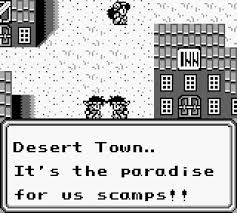
    I always thought the Zozo background music (Slam Shuffle) would be a perfect fit for the desert town
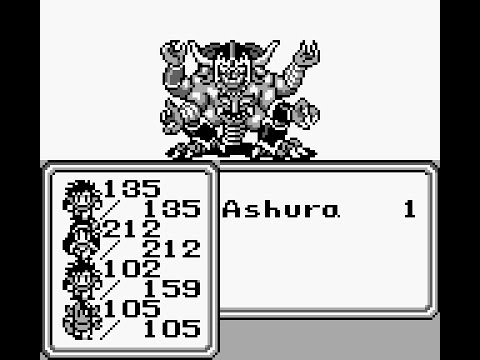
    Ashura’s Tower and the fight with Ashura always had me wanting the Saga 1 tower and boss themes
    A Haniwa’s Contingency: I loved this mod, and it was the first time I really felt like the game HAD to have extra music. The sprites from other games had me wishing it had the battle themes from the other games.

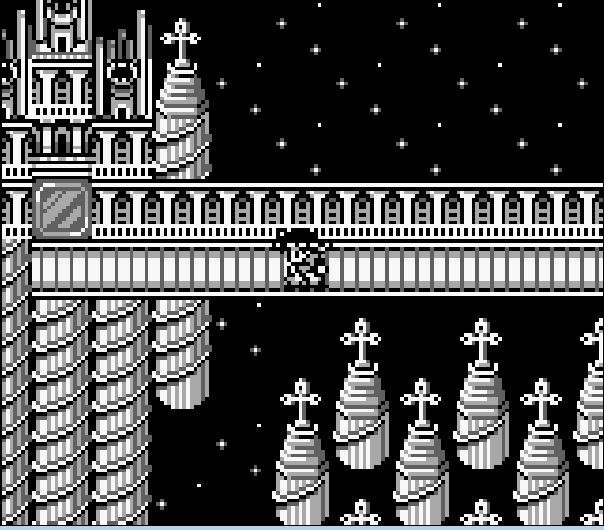
    I also felt like the final area would be so good with Xagor’s Lair music from Final Fantasy Legend 3.

    Gathering Information

    The itch was there, but I honestly did not have the slightest clue where to begin. So I asked on the FFL2 gamefaqs board. Although I received a great answer from Tehtmi, I was a bit out of my depth.

    https://gamefaqs.gamespot.com/boards/585710-final-fantasy-legend-ii/81161973

    It was clear I needed to learn more about disassemblies as well as how gameboy handles music. So I set out to create my own disassembly of Saga 2, which was garbage. I also played with Saga2Edit (made by Tehtmi) and used that disassembly to learn more about how the audio engine worked.

    I checked out other disassemblies for project such as Pokemon and Link’s Awakening. I was able to learn a bit, but I still didn’t feel any closer to being able to bring in any new music. The big break through was when I discovered the Embers of Mana mod and linked up with the Mystic Editor team.

    Getting Somewhere

    Breakthroughs

    I cannot overstate what a break through it was discovering the Embers of Mana mod. This was huge for a few different reasons

    It has a completely custom sound track, so it was clear they knew the audio engine. Embers of Mana Soundtrack
    It has almost the exact same audio engine as Final Fantasy Adventure. It even has a tool to extract the music from Saga 2, seen here
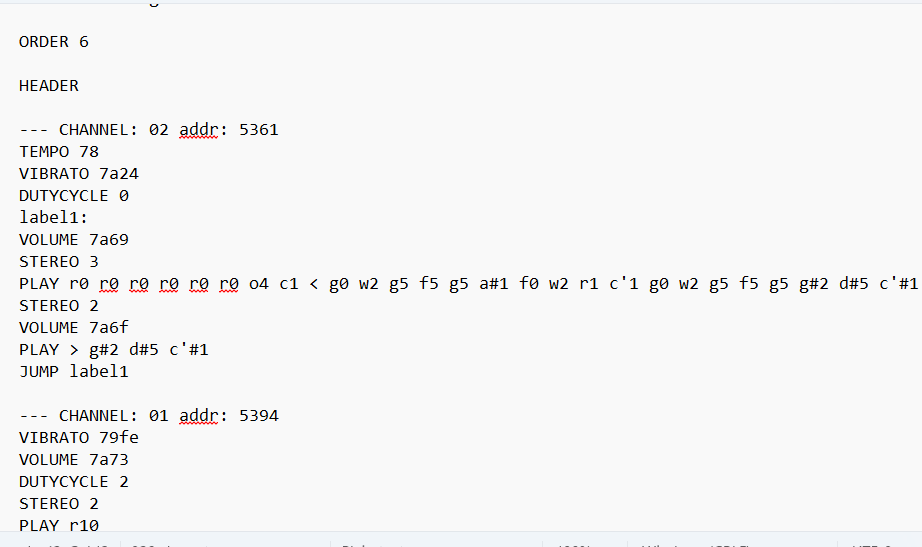
    It is very well documented with how to use the audio engine, what notes it can play, and even has maps of how sound waves are effected

    Getting My Feet Wet

    Now that I had a way to create music, it was time to get to work

    1. Typing out every note by hand was not for me, so I created a script to convert sheet music to mml for the Mystic Editor. If I have decent sheet music, I can export it as xml from Muse Score, then run my script to convert it to xml
    2. I discovered Musescore can actually generate very good sheet music from a well made midi. Midis are lists of notes and lengths, so there really isn’t anything up to interpretation
    3. Now I have a way to take any well made midi and get the notes into the sound engine. Although at this point I have no clue how to work with the instrument settings as evidenced by this old Chai Kingdom version

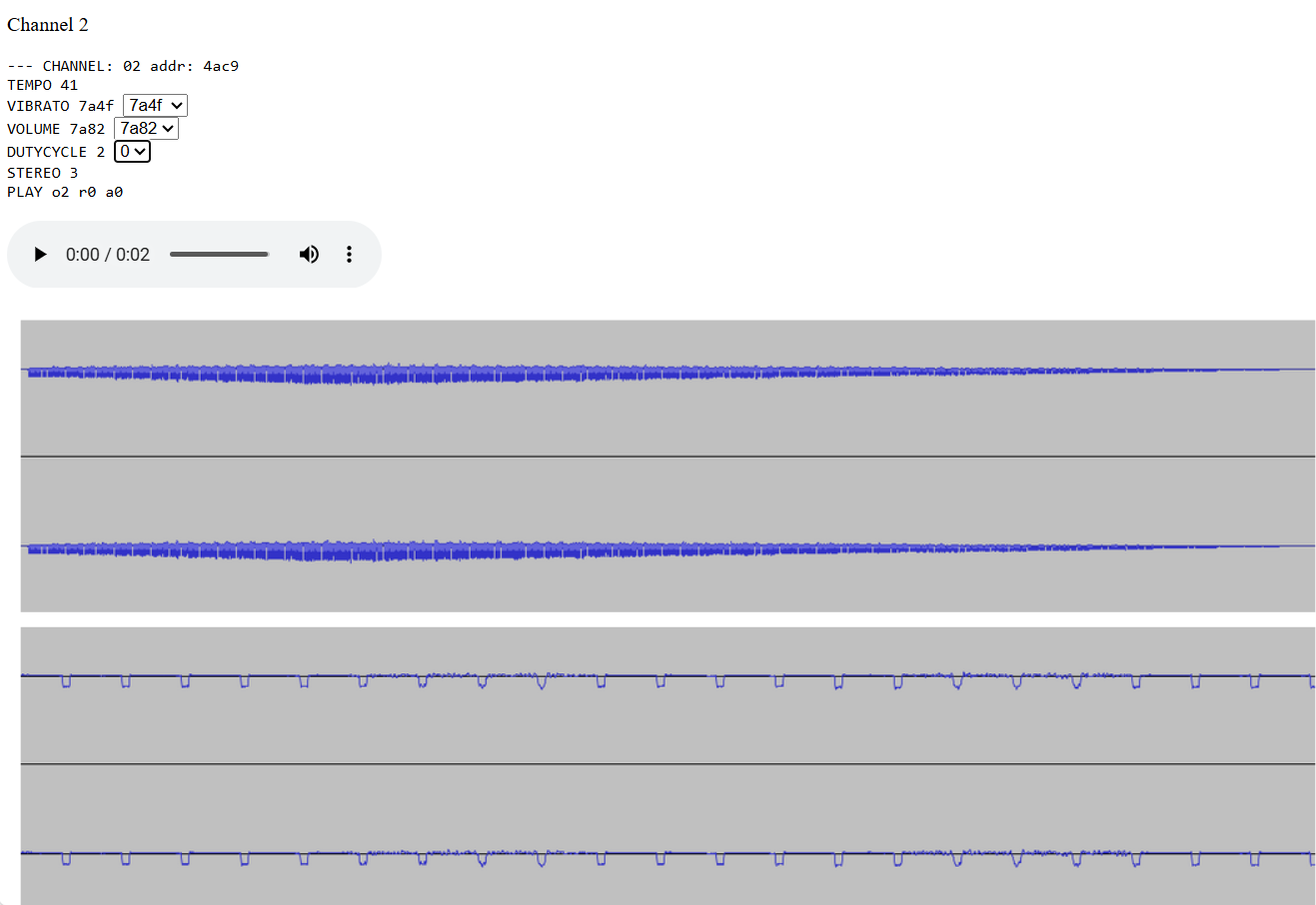
    I kept learning how things worked, as well as what dutycycle, vibrato, and volume envelopes were. I was slowly getting better. I spent quite a bit of time on the Magus boss theme, and eventually got it to a decent place

    But that still didn’t feel good enough. I kept having to ditch the drums for every song, and it was really bugging me Luckily for me, the Mystic Editor guys came through again. I noticed an old post where one of them just casually tossed the Saga 3 engine into Final Fantasy Adventure.

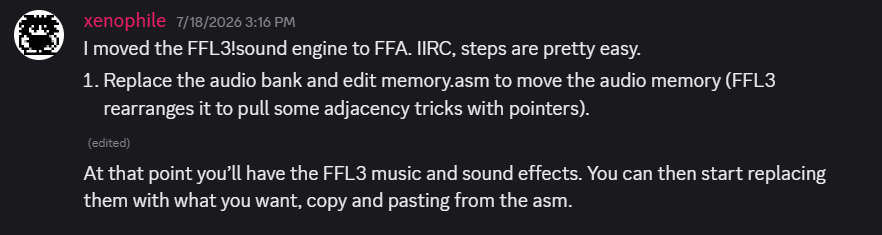
    After a couple weeks, switching from wla-dx to rbgdis, and a lot of swearing, I was finally able to get it in

    In addition to bringing in the new engine, I also discovered that the sound effects from Saga 2 and FF Adventure all appear to work perfectly in the Saga 3 engine. So now I have drums and a much larger sound library. Now it is time to start creating some real music

    Creating Real Music

    Learning the Engine

    Now that I had my engine, it was time to start creating something actually decent. I was able to make a decent version of some stuff, but I was still having issues making the track as good as I would like

    I was finally able to get my Desert Town theme into the game
    This version of Mount Sabre from Crystalis sounds weak, because I tried using vibrato to imitate multiple instruments, which didn’t work
    I was also running into issues with certain tracks being too harsh at a high pitch.

    Updating the Engine

    I started trying to understand how vibrato, volume envelope, and the wave tables really worked. I tried making a few different settings of my own along with lower volume variations for backup instruments.

    I still don’t completely get how to make my own instrument settings, but I’ve been able to trial and error my way into making some decent ones.

    I was able to use my new volume envelope settings along with what I learned to more effectively layer instruments
    I added my own vibrato setting that has a more intense quiver to try and make the jaw harp sound in Shadow’s Theme.
    I was able to somewhat imitate a cuica. The key was changing the dutycycle from $00 to $80 and going down an octave for the second note.
    I also experimented with other volume envelopes for drums as well as using channel 1 to add a thud and echo for snares

    Improving the Tunes

    With some more experience, I’m now able to make better music. Some of these are still works in progress, but I’m definitely able to add music I wasn’t before

    I was able to get Lonely Town from Soul Blazer sounding pretty clean despite having the violin and flute playing at the same time
    I was able to make the Final Fantasy town music sound (at least imo) better than it sounds on the NES by having it sound like actual instruments
    After learning more about how the drums work, I’m finally able to attempt adding some tracks from what I consider the best sound track on the entire gameboy
    Where to Proceed

    Shifting Goals

    The original idea was simply to get the music from Final Fantasy 1 and 3 into the game. Once I discovered I could add my own tracks, it grew from there into becoming the Saga 2 Jukebox Mod.

    But with the sheer amount of music from the games along with the custom tracks, it felt like a complete music overhaul was in order. At this point, I have

    • 16 tracks from FFL1
    • 19 tracks from FFL2
    • 23 tracks from Final Fantasy Adventure
    • 20 tracks from Final Fantasy Legend 3
    • 20 mostly ready custom tracks
    • ~20 Work in Progress tracks

    So as far as Saga 2 goes, I plan to add script tiles to trigger music so town music can be added, as well as music for other locations like caves and Ki’s palace. Full spreadsheet of what my current ideas are is here – https://docs.google.com/spreadsheets/d/1IWntIfiF3ZX0mWtWTq1RmRyrbU-BpsCh6Ljj9fLt_PA/edit?gid=0#gid=0

    End Goal

    Honestly, the real end goal is to have an engine people will want to use for mods and other projects that has an extensive library of all kinds of music, and is most of all easy to create music for. I’ll be sharing my work along with videos and other documentation on how to make music for it in the future. I also plan to

    • Have an mml format that is more readable than the note macros in the assembly
    • have presets for different instruments like flute, violin, harp, etc that will set vibrato, dutycycle, volume envelope, and wave table
    • Update my script for converting sheet music so people can use it to get their own music into the engine
    • Update my melody tester so you can easily cycle through preset instruments with a melody to see how they sound

    As a final note, here is the playlist of the music which is ready or very close to ready – https://youtube.com/playlist?list=PLarZ7jESu1mc&si=rm0rpgosBcSEz5Ss

    Here are the ones which I consider more “in progress” – https://youtube.com/playlist?list=PLceErzHlGveY&si=T1Z9qty1ZfVeOhBn

    Related Post

    This post has been viewed 53 time(s).

  • Four-Job Fiesta of Final Fantasy V

    Backstory with Player Highlights by clymax

    For clymax’s projects, click here. You can also follow him on YouTube or Twitter.

    Logo credit: FourJobFiesta.com.

    See the sections below. A playlist is also available here.

    Four-Job Fiesta 2023

    Job rolls from FourJobFiesta.com.

    Played on Retro Achievements.

    Four-Job Fiesta 2024

    Job rolls from FourJobFiesta.com.

    Played on Retro Achievements.

    I found the events pretty lackluster.

    This was despite my fondness for FFV.

    And this was despite the efforts of the event organizers.

    So I decided to make my own event and mod.

    For more on the new event, see here. Or you can see the next sections.

    Later, I even formed a team that made a second new event and mod that streamlines the classic Fiesta. You can learn more about that event here.

    Whirlwind Challenge Runs in 2024

    These runs predate the Whirlwind Fiesta mode and event.

    Random job per level up.

    Played using Whirlwind mod version 0.50.

    Random job per level up.

    Played using Whirlwind mod version 1.73. Full run is shown.

    Whirlwind Fiesta 2025

    Whirlwind Vanilla game mode.

    Played using Whirlwind mod version 3.11.

    Random job per level up.

    Played using Whirlwind mod version 3.24. Full run is shown.

    Whirlwind Fiesta 2026

    Aflame Vanilla game mode with Order flagset.

    Played using Aflame mod version 0.16. Full run is shown.

    Classic Fiesta 2026

    Runs year-round from January to December.

    Teaser Trailer

    Longplay series by Ivor Biggun: playlist

    Related Posts

    This post has been viewed 21 time(s).