
Category: audio

  • Saga 2 Jukebox – Making Actual Progress

    I’ve been up to a few things the past week or so. First, here’s the fruit of my labor. I added background music to town 1, town 2, Ki’s Palace, and the first cave. Every piece of music in this clip is music I arranged and added into the game. I also improved a few of the tracks, like increasing the bass for The Forbidden Realm.

    Chai Kingdom will not be the world 1 music, but you get the idea. I was mostly showing off how town music will work, as well as the music I’ve already made. I also made some improvements to the engine. Adding town music is very easy with Saga2Edit. I just need to replace the door scripts with other scripts that call the door script before changing the music. Although in some of the Saga 2 hacks, this will require expanding the amount of scripts available

    Understanding How Instruments Work

    To improve the engine, it is first necessary to understand how “instruments” work on the Gameboy. In short, there are no instruments. You modify the sound wave with different settings, then choose the notes you want to play. Here is a quick summary of how it works

    Duty cycleAlters the sound wave to shift the tone. I think of it as the “material” of the instrument. Brass, strings, or hollow/wood
    Volume envelopeShifts the volume of the note. Think of this as how a note is played. A quick strike, a long note that swells in volume, a flat note that is just held at a static volume, etc
    vibratoAdds flavor to the sound wave. Like reverb or a bloom effect
    Wave TableUsed for channel 3, it allows more complex sounds. I’m still understanding exactly how the engine handles these, although I managed to add some crazy sounding ones

    For example, in my engine, the following “instruments” use these settings. I gave them plan English names to make setting instruments more intuitive.

    InstrumentVibratoVolume EnvelopeDuty Cycle
    XylophoneFlat – Does NothingStrikeHollow ($80)
    ViolinQuiverSwellStrings ($40 or $c0)
    French HornSwayBreathBrass ($00)

    I also made an instrument tester, although I’ve updated a lot of these since recording the video (piano listed in it is more of a chime. piano should use the string duty cycle). I added melodies from my current music so I could hear them with notes that fit the instrument

    With new and better organized settings, I was also able to get some music sounding much better that I had almost given up on. I still have a few tweaks I want to make, but I was able to grab the Mystic Quest Battle theme, which I REALLY want to have in the game

    Next Steps

    Currently, I’m trying to finalize all the instrument settings. They are mostly done, with the exception of “breath” which has audio pops in it for some reason. I’m also currently researching how to add more wave tables.

    I also need to start testing more music in game. Sound effects mute audio in channels 1, 4, or both. I have most of my music optimized in the first video, but in the cave the menu interferes with the violin at the start of Fate in Haze. I just need to move it to channel 2.

    Future Vision For the Engine

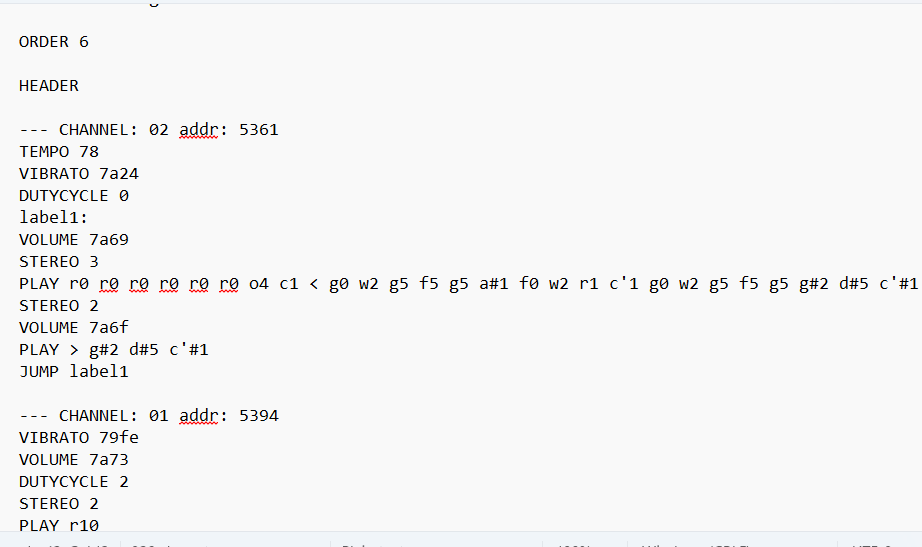
    My real end goal is to create an engine that is easy to use for other rom hackers to use for gameboy music that comes with well over 100 tracks they can use. To make it as simple as I would like, I’m taking inspiration from Mystic Editor, which uses mml for the music.

    My end result will look similar. The difference is I’ll have volume control like they have with octave, the ability to name instruments instead of just using the in game settings, and some other tweaks. I’ll have to decide how I want to label note lengths like dotted notes. I was thinking D for dotted and T for triplet at the end, but that might change. You’ll still have the ability to manually change instrument settings like vibrato and volume envelope if needed

    Example:

    — chai_kingdom_ch2:
    TEMPO 65
    INSTRUMENT: flute
    VOLUME: 9
    OCTAVE: 3
    d4D, e8, g4, e4
  • Current WIP and Choosing What Goes in Game

    I figured I would give an update on the current music I’m trying to get across the finish line, as well as what I would like to put in the game vs just in the jukebox or future projects

    Jukebox vs In Game Music

    I’ve thought a bit about what I would want actually in the game vs what I would want just to be able to put on the jukebox while goofing around in town. I think I’ve come up with a few rules that will help

    • Anything from the Saga series or Final Fantasy Adventure is good to be used in game
    • Nothing too iconic. No Mario, Zelda, or tunes like One Winged Angel
    • Try to focus on more obscure music if it is music not from the Saga series

    Of course, none of this is set in stone. If a song is the perfect fit, I’m going to use it

    Some Planned In Game Music
    This track from the Heroes of Might and Magic 2 Gameboy Color game isn’t too well known and would work well for Guardian Town
    Arcana has some music I would like. I need to clean up the battle theme
    Anything from the Romancing Saga series will fit well in the game. I plan to get at least a few more from the snes games
    Final Fantasy Legend 3 music is of course great and fits the game well
    FF Adventure has one of the best soundtracks on the gameboy, and it fits the game as well

    As for the jukebox, everything else. But I’m also going to specifically try for some fun music. Mega Man will come in very handy if I need some more to add

    Some Jukebox Tracks
    There will be some iconic tracks like Saria’s Song
    Mega Man music is fun and easy to convert over. I can get these ones sounding pretty close to the NES
    Other fun music as well, such as NES World Cup

    Besides those, I have some other random tracks I’m trying to get

    Other Random Tracks

    My WIP versionOriginal

    I also plan to get as many tracks from the Ultima NES games, particularly Ultima: Exodus. That game’s soundtrack is nostalgic to me in a way no other game is, so I plan to try to get every single track from it into the engine.

    Ultima WIP

    I also want to get some tracks from these games. Some for in game, some for the jukebox

    Future Hopefuls

    Ys 3
    More from Soul Blazer
    Zombies Ate My Neighbors for the juke box
    Pool of Radiance
    Illusion of Gaia
  • Yohnstoppable’s Chiptune Roadmap

    From a bout of nostalgia to a full music overhaul

    You can follow Yohnstoppable’s work via YouTube.

    Beginnings

    Inspiration

    I always thought the Zozo background music (Slam Shuffle) would be a perfect fit for the desert town
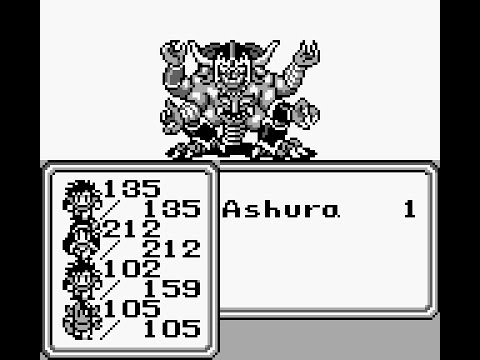
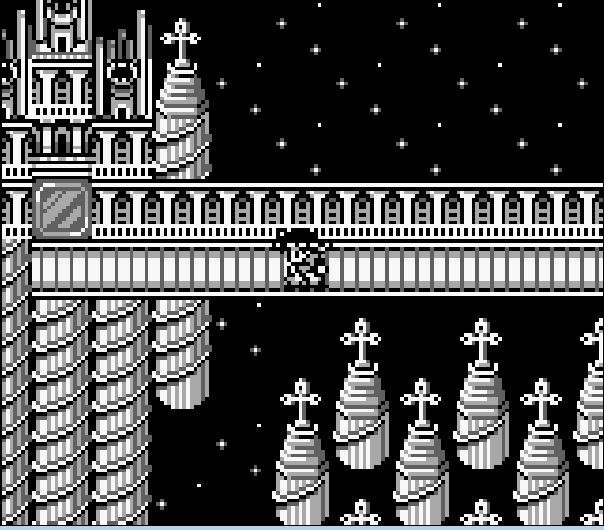
    Ashura’s Tower and the fight with Ashura always had me wanting the Saga 1 tower and boss themes
    A Haniwa’s Contingency: I loved this mod, and it was the first time I really felt like the game HAD to have extra music. The sprites from other games had me wishing it had the battle themes from the other games.

    I also felt like the final area would be so good with Xagor’s Lair music from Final Fantasy Legend 3.

    Gathering Information

    The itch was there, but I honestly did not have the slightest clue where to begin. So I asked on the FFL2 gamefaqs board. Although I received a great answer from Tehtmi, I was a bit out of my depth.

    https://gamefaqs.gamespot.com/boards/585710-final-fantasy-legend-ii/81161973

    It was clear I needed to learn more about disassemblies as well as how gameboy handles music. So I set out to create my own disassembly of Saga 2, which was garbage. I also played with Saga2Edit (made by Tehtmi) and used that disassembly to learn more about how the audio engine worked.

    I checked out other disassemblies for project such as Pokemon and Link’s Awakening. I was able to learn a bit, but I still didn’t feel any closer to being able to bring in any new music. The big break through was when I discovered the Embers of Mana mod and linked up with the Mystic Editor team.

    Getting Somewhere

    Breakthroughs

    I cannot overstate what a break through it was discovering the Embers of Mana mod. This was huge for a few different reasons

    It has a completely custom sound track, so it was clear they knew the audio engine. Embers of Mana Soundtrack
    It has almost the exact same audio engine as Final Fantasy Adventure. It even has a tool to extract the music from Saga 2, seen here
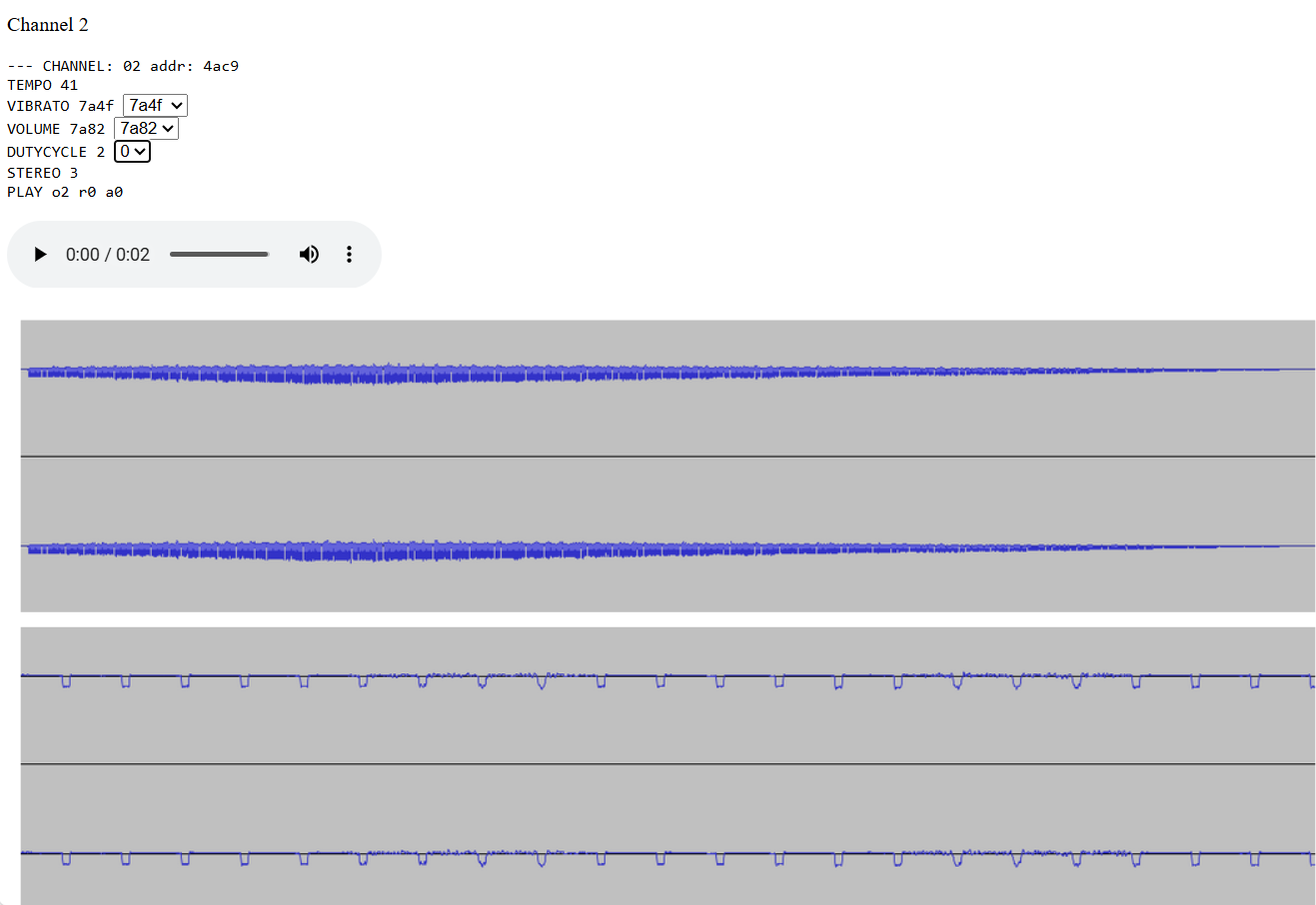
    It is very well documented with how to use the audio engine, what notes it can play, and even has maps of how sound waves are effected

    Getting My Feet Wet

    Now that I had a way to create music, it was time to get to work

    1. Typing out every note by hand was not for me, so I created a script to convert sheet music to mml for the Mystic Editor. If I have decent sheet music, I can export it as xml from Muse Score, then run my script to convert it to xml
    2. I discovered Musescore can actually generate very good sheet music from a well made midi. Midis are lists of notes and lengths, so there really isn’t anything up to interpretation
    3. Now I have a way to take any well made midi and get the notes into the sound engine. Although at this point I have no clue how to work with the instrument settings as evidenced by this old Chai Kingdom version

    I kept learning how things worked, as well as what dutycycle, vibrato, and volume envelopes were. I was slowly getting better. I spent quite a bit of time on the Magus boss theme, and eventually got it to a decent place

    But that still didn’t feel good enough. I kept having to ditch the drums for every song, and it was really bugging me Luckily for me, the Mystic Editor guys came through again. I noticed an old post where one of them just casually tossed the Saga 3 engine into Final Fantasy Adventure.

    After a couple weeks, switching from wla-dx to rbgdis, and a lot of swearing, I was finally able to get it in

    In addition to bringing in the new engine, I also discovered that the sound effects from Saga 2 and FF Adventure all appear to work perfectly in the Saga 3 engine. So now I have drums and a much larger sound library. Now it is time to start creating some real music

    Creating Real Music

    Learning the Engine

    Now that I had my engine, it was time to start creating something actually decent. I was able to make a decent version of some stuff, but I was still having issues making the track as good as I would like

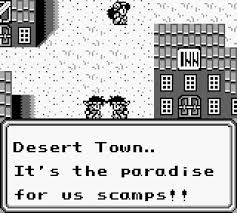
    I was finally able to get my Desert Town theme into the game
    This version of Mount Sabre from Crystalis sounds weak, because I tried using vibrato to imitate multiple instruments, which didn’t work
    I was also running into issues with certain tracks being too harsh at a high pitch.

    Updating the Engine

    I started trying to understand how vibrato, volume envelope, and the wave tables really worked. I tried making a few different settings of my own along with lower volume variations for backup instruments.

    I still don’t completely get how to make my own instrument settings, but I’ve been able to trial and error my way into making some decent ones.

    I was able to use my new volume envelope settings along with what I learned to more effectively layer instruments
    I added my own vibrato setting that has a more intense quiver to try and make the jaw harp sound in Shadow’s Theme.
    I was able to somewhat imitate a cuica. The key was changing the dutycycle from $00 to $80 and going down an octave for the second note.
    I also experimented with other volume envelopes for drums as well as using channel 1 to add a thud and echo for snares

    Improving the Tunes

    With some more experience, I’m now able to make better music. Some of these are still works in progress, but I’m definitely able to add music I wasn’t before

    I was able to get Lonely Town from Soul Blazer sounding pretty clean despite having the violin and flute playing at the same time
    I was able to make the Final Fantasy town music sound (at least imo) better than it sounds on the NES by having it sound like actual instruments
    After learning more about how the drums work, I’m finally able to attempt adding some tracks from what I consider the best sound track on the entire gameboy
    Where to Proceed

    Shifting Goals

    The original idea was simply to get the music from Final Fantasy 1 and 3 into the game. Once I discovered I could add my own tracks, it grew from there into becoming the Saga 2 Jukebox Mod.

    But with the sheer amount of music from the games along with the custom tracks, it felt like a complete music overhaul was in order. At this point, I have

    • 16 tracks from FFL1
    • 19 tracks from FFL2
    • 23 tracks from Final Fantasy Adventure
    • 20 tracks from Final Fantasy Legend 3
    • 20 mostly ready custom tracks
    • ~20 Work in Progress tracks

    So as far as Saga 2 goes, I plan to add script tiles to trigger music so town music can be added, as well as music for other locations like caves and Ki’s palace. Full spreadsheet of what my current ideas are is here – https://docs.google.com/spreadsheets/d/1IWntIfiF3ZX0mWtWTq1RmRyrbU-BpsCh6Ljj9fLt_PA/edit?gid=0#gid=0

    End Goal

    Honestly, the real end goal is to have an engine people will want to use for mods and other projects that has an extensive library of all kinds of music, and is most of all easy to create music for. I’ll be sharing my work along with videos and other documentation on how to make music for it in the future. I also plan to

    • Have an mml format that is more readable than the note macros in the assembly
    • have presets for different instruments like flute, violin, harp, etc that will set vibrato, dutycycle, volume envelope, and wave table
    • Update my script for converting sheet music so people can use it to get their own music into the engine
    • Update my melody tester so you can easily cycle through preset instruments with a melody to see how they sound

    As a final note, here is the playlist of the music which is ready or very close to ready – https://youtube.com/playlist?list=PLarZ7jESu1mc&si=rm0rpgosBcSEz5Ss

    Here are the ones which I consider more “in progress” – https://youtube.com/playlist?list=PLceErzHlGveY&si=T1Z9qty1ZfVeOhBn

    Related Post

    This post has been viewed 53 time(s).

  • Commission a Respinner or Other Mod

    Want to see your favorite game get newly randomized items every reset? Here’s your chance!

    For clymax’s projects, click here. You can also follow him on YouTube.

    For the first time, under a new pilot, players can commission research by clymax into creating romhack of their choice.

    Respinner is our term for an internal randomizer, as opposed to an external one, which we refer to as a repatcher.

    Mod TypeCost (USD)
    Custom Cheat50
    Leveling100
    Respinner150
    Custom Bugfix200
    Compatibility Between Two Hacks, e.g., MSU-1250
    Menu Translation of FFV Mod500

    Crowdfunding may also be available. Under crowdfunding, each participant gets at least one game key regardless of the amount contributed. Contributions can be refunded if the crowdfunding target is not met by a deadline if one is set.

    For more details or to discuss a commission, visit the comissions topic in the help channel of the Discord. You can also DM clymax.

    Custom-Cheat Mod

    Similar terms as for respinners, but the cost is a flat fee shown in the above table, for five game keys for the custom-cheat mod.

    Compatibility Bridge Between Two Hacks

    Similar terms as for respinners, but the cost is a flat fee shown in the above table, for ten game keys for the compatibility bridge. Example: MSU-1 compatibility bridge for selected hack of FFV.

    Custom Bugfix

    Similar terms as for respinners, but the cost is a flat fee shown in the above table, for ten game keys of the custom bugfix.

    Menu Translation of FFV Mod of Your Choice

    Similar terms as for respinners, but the cost is a flat fee shown in the above table, for ten game keys for the Menu Translation mod.

    Leveling Mod

    Similar terms as for respinners, but the cost is a flat fee shown in the above table, for five game keys for the leveling mod.

    Respinner

    No, these are not site-based or app-based randos. Instead, on every reset you can get a new randomization.

    Terms

    1. The research will be for creating an item randomizer for the chosen game. The game must not be a hack or a homebrew.
    2. No randomization scheme beyond L1 randomization is guaranteed. See clymax’s projects page here for more info on randomization schemes.
    3. The research can be commissioned by arranging for a pre-alpha version of the romhack to be listed on a digital store and purchasing the pre-alpha version.
    4. The cost of the commission is a flat fee shown in the above table. Please note, to enable the low cost, no refunds will be provided.
    5. Although no ETA is provided for completing the research and delivering an initial build of the hack, a turnaround time of one to seven calendar days can be typical.
    6. A special Commissioner role is available to be awarded to the player in the Discord.
    7. If the research is successful, the player will receive nine additional game keys for the item-randomizing romhack to share with others (for ten copies total of the romhack patch). The game keys include access to all future updates to the romhack.
    8. The initial release of the romhack can be anywhere from an alpha state to a beta state. The work under the commission concludes when the romhack is anywhere from a beta state to a release state.
    9. If the research proves unsuccessful, the player can choose a different game to research. Effectively, the player does not pay for a failed research attempt. This process can repeat until research is successful.
    10. To enable the low cost of the commission, the modder retains all rights related to the romhack. The modder can maintain the hack as a private hack and, just like a private hack that was not commissioned, add the commissioned private hack as a listing on a digital store.
    11. To be clear, the commission does not include any public release of the romhack in any form.
    12. To enable the low cost, no major updates are guaranteed for a commissioned romhack. But additional commissions can be considered to expedite developing the romhack further.
    13. Currently, only the Super Nintendo and Super Famicom are supported as systems.
    14. The modder has discretion to decline a request for any reason or for no reason. Games listed as being unsuitable for rando modding are not eligible.
    15. All rights belong to their respective owners. No laws are violated by the commission, any work under the commission, or distribution of any deliverable resulting from the work.

    This post has been viewed 8 time(s).